
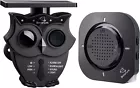

1/2 Mile Long Range Solar Wireless Driveway Alarm 1Receiver and 1Sensor
$ 43.02
Description
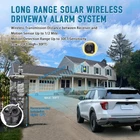
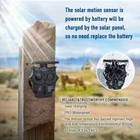
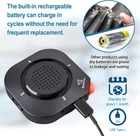
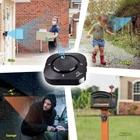
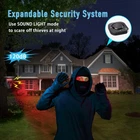
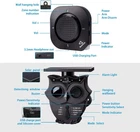
1/2 Mile Long Range Solar Wireless Driveway Alarm 1Receiver and 1Sensor Product Details Brand: Betterlink Color: 1Receiver and 1Sensor Power Source: Solar Powered,Battery Powered Maximum Range: 0.5 Miles Mounting Type: Wall Mount Battery Description: Lithium-Ion Temperature Range: -20~60 Degrees Celsius Product Dimensions: 4.33"D x 3.94"W x 3.15"H Number of Batteries: 2 Lithium Ion batteries required. Recommended Uses For Product: Indoor Upper Temperature Rating: 60 Degrees Celsius Manufacturer: BetterLink Item Weight: 12.7 ounces Country of Origin: China Item model number: NS-001-1R1S Batteries: 2 Lithium Ion batteries required. Material: Plastic Installation Method: Wall-Mounted Coverage: 1/2 Mile Usage: alarm Included Components: 1 PCS User's Manual, 1 PCS Receiver, 3 PCS Mounting Screws, 1 PCS Solar Motion Sensor, 1 PCS Type C Cable Batteries Included?: No Batteries Required?: Yes Battery Cell Type: Lithium Ion Description Pile: Lithium-Ion Brand: Betterlink Color: 1Receiver and 1Sensor Power Source: Solar Powered,Battery Powered Maximum Range: 0.5 Miles Mounting Type: Wall Mount Easy to install and expand: This wireless solar driveway alarm system is easy to install.It can be installed on walls, fence posts, trees, or any other surface. It will provide 24-hour heat and motion detector to protect your family's property and safety. A receiver can expand/handle up to 16 motion sensors to provide full coverage of your property. Flexible operation and long-distance communication: The wireless driveway alert system can work together with receivers or independently. The motion sensor range can reach up to 30 feet.The wireless range from each sensors to the receiver can reach up to 1/2 mile. You can also use this driveway alarm as your remote driveway doorbell. Wide Range of Uses:The driveway alarm system includes a receiver and a driveway sensor with waterproof grade of IP65 for outdoor motion alert use. The driveway alarm is using the most advanced pyroelectric infrared (PIR) technology to detect the heat source of moving object and use new software algorithms to minimize false alarms caused by environmental impacts. You can quickly receive motion alarms when people, cars or animals enter your gate or wherever you place a outdoor motion sensor alarm. Solar powered: This driveway alarm system is powered by a battery, which is charged through the existing solar panel. So, there is no need to be continually replacing the battery.It can also be charged through a USB-C cable. This wireless solar driveway alarm has undergone rigorous testing in high and low temperature environments and has a working temperature range of -4°F to +140°F (-20°C to +60°C). Alert Options:You can select one of 4 ways of being alerted (Audible Alarm/Light Alarm/Sound Light Alarm/Work with Receiver). These will effectively alert you to visitors and potentially unwanted intruders or to scare intruders. It is easy to add/pair a new motion sensor: Step 1: First power on the receiver. Then press and hold the Mode button for 3 seconds to enter the pairing mode. The zone number flashes quickly for 30 seconds as it waits for the pairing; Step 2: Power on the motion sensor or wave your hand in front of the detection window to trigger the motion sensor; Step 3: The receiver will produce a unique tone to indicate that the pairing has been successful. The zone number will be increased automatically; Step 4: You can also specify this zone number manually. Press and hold the Mode button for 3 seconds to enter the pairing mode. Then short press the mode button to change the zone number to your favorite. Now wave your hand to trigger the motion sensor to complete the pairing. The receiver has four zones to choose from. Each zone has an independent chime to facilitate the identification of which region's sensor has been triggered. If you want to change the chime, you can refer to the pairing method to pair the sensor to another zone.