
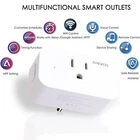



Smart Plug Wifi Mini Outlets Aneken Smart Socket Works with Amazon Alexa and Goo
$ 16.83
Description
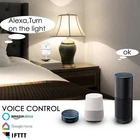
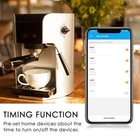
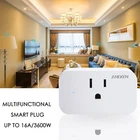
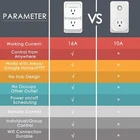
Product Description: Hands-Free Voice Control with Amazon Alexa: Open Alexa APP, tap on the menu on “Skills” Search for “eFamilyCloud” skill in the search bar Tap on “eFamilyCloud” skill on Alexa App Link your eFamilyCloud account to skill Discover the smart plug and manage devices with voice Note: Please keep in mind that the "eFamilyCloud" app should be set up already before setting up with Amazon Alexa or Google Assistant. Smart Tips: If the indictor doesn't flashing when you plug in the Aneken plug for first connection, please hold a 5-10 seconds press on the button of the smart plug to see if it starts flashing;I f the smart device can't be connected to WiFi, please long press ON/OFF button for 5~10 seconds to reset the smart plug; The smart device only works with 2.4 GHz network. If your router broadcasts both 2.4 and 5GHz, please selected the 2.4GHz network with the app. You are free to change the network to 5 GHz again after connecting; Specifications Wi-Fi Protocol: 2.4GHz Only Rated Voltage: AC 100 - 240V Input Frequency: 50Hz/60Hz Working Temp: -10 ~ 45℃ (14°F-113°F) Rated Current: 16A Max Max power: 2200W Material: ABS+PC Package Content : Aneken Smart Plug & User Manual How to operate it ? 1: Search "eFamilyCloud" on App store, Google Play or Scan QR code to download and install it. 2: Register an eFamilyCloud account. 3: Plug the smart plug into any outlet. 4: Electrify the product, add device to app. 5: Select Wi-Fi and enter password. 6: Wait for connecting and assign a name to each plug. Note: Smart Life app also can be applied to operate it