




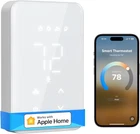
Smart Thermostat for Electric Baseboard and In-Wall Heaters Work with Apple Home
$ 67.58
Description
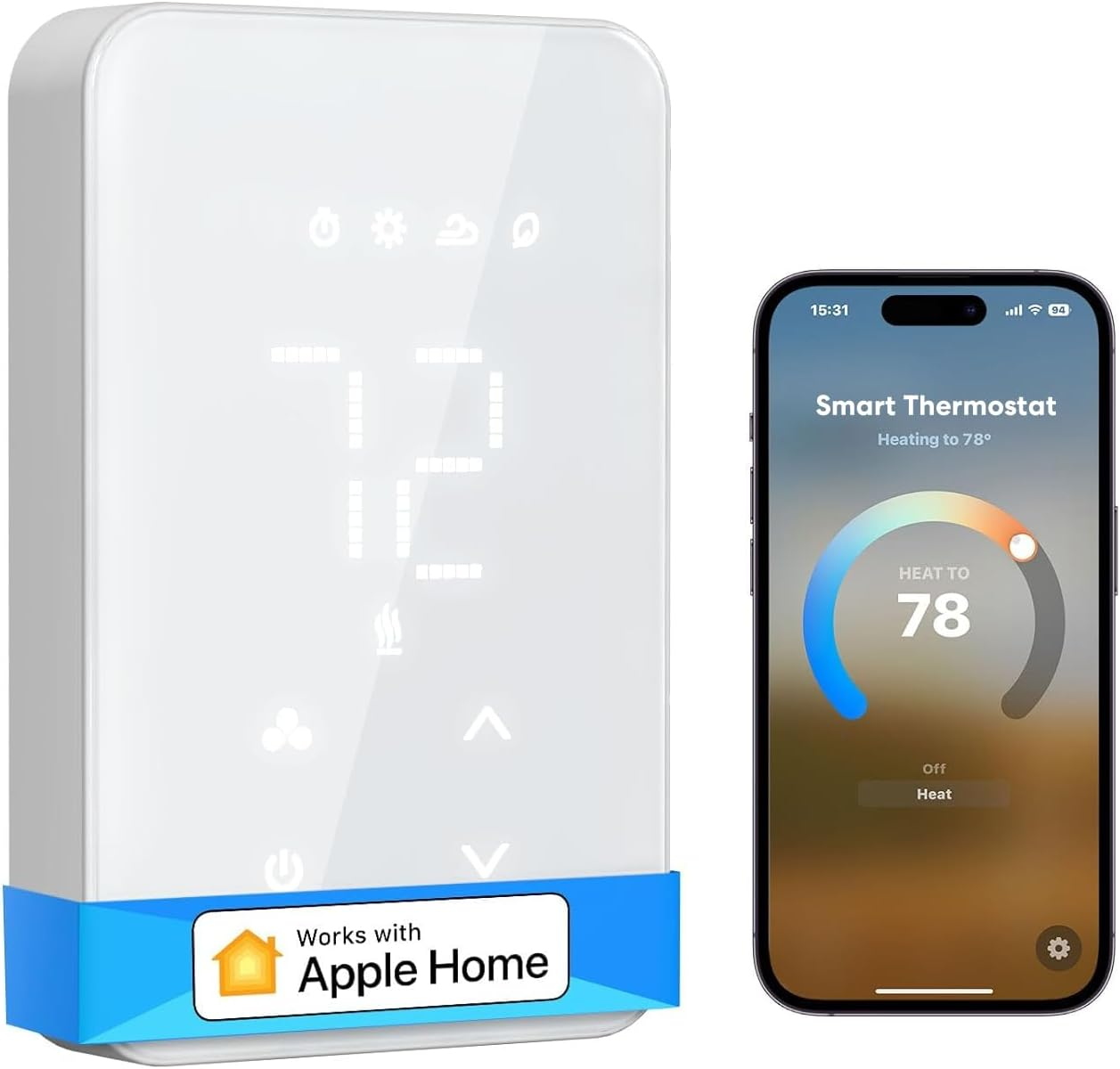
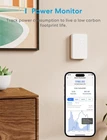
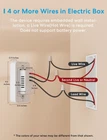
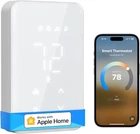
Easy to Install: It takes less than 30 mins to install your smart thermostat, compatible with the Electric Baseboard, Convector, Fan-Forced Heater and In-Ceiling Radiant. 𝗡𝗼𝘁𝗲: 𝗿𝗲𝗾𝘂𝗶𝗿𝗲𝘀 𝟰 𝗼𝗿 𝗺𝗼𝗿𝗲 𝘄𝗶𝗿𝗲𝘀 𝗶𝗻 𝗲𝗹𝗲𝗰𝘁𝗿𝗶𝗰 𝗯𝗼𝘅 𝘁𝗼 𝗶𝗻𝘀𝘁𝗮𝗹𝗹. For High Voltage Systems: Smart thermostats are designed for high voltage systems and has a maximum output load of 16A, 1920W at 120V, and 3840W at 240V. It works with high-voltage electric baseboard, convector, and fan-forced systems Smart Integrations: Compatible with Apple Home, Alexa, Google Home, and SmartThings. The electric baseboard thermostat supports voice control through Siri, Alexa, and Google, allowing you to change the current temperature with voice commands and freeing your hands Schedule: Smart Thermostats for home allow you to automatically control the heating via the Meross app using a schedule. With a 7x24 hours smart graphic schedule, you can easily save on heating costs by programming your desired temperature settings High Accuracy: Programmable thermostat offers 1℉ temperature accuracy with an adjustable temperature of 41℉-95℉, ensuring precise temperature control and setting your desired comfort level. The thermostat is equipped with a pure white LCD display, perfectly integrated into the wall, creating a sleek and seamless look Energy monitor: The smart thermostat supports energy monitoring, enabling you to track power consumption and live a low-carbon life. Equipped with an internal electricity meter, the Meross app provides real-time reports on the power consumption of your devices, as well as historical data Open Window Detection: When you open a window for ventilation, it automatically stops heating for a while to help you save even more on your electricity bill Home Automation: Easily control and trigger lights, plugs, switches, and appliances using the Meross, Apple Home, Alexa, or Google Home apps when the temperature meets your specified conditions. This allows for seamless home automation and integration of your smart devices Summer Mode: If your system supports cooling during the summer season, the thermostat can effectively control and regulate the cooling functionality Power-off Memory: Any abrupt power failures or the need to cut off the power during a program cycle,the present settings will be saved and the preset operation will resume when the power is on again Product Description Voice Control Set the bedroom temperature with just your voice, no need to leave your cozy bed again. Remote Control Forget to switch off your home thermostat when you're away? No worries, Meross has got you covered. Schedule With the 7x24 schedule plan, say goodbye to labor-intensive manual settings, save more heating bill. Fast Response Enjoy millisecond response and no drop-off with superfast local control when you're at home. Offline Control When the Internet is down, you can control smart thermostat in Home Wi-Fi network via Meross app. 1 Hands Free Voice Control 2 Control From Anywhere 3 Schedule 4 Fast Response 5 Offline Control Easy to Install and Use (4 or more wires) 1. Locate the Live Wire, typically black and fed from the top entry. 2. Identify the Second Live Wire(red as usual) or Neutral Wire(white as usual), usually fed from the top entry. 3. Find the Load wires, which come from the heaters and are typically black, red, or other colors, usually fed from the bottom entry. Note: See hardware installation video for detail. Power Monitor The Meross app supports an energy monitor function that helps you track the heating cost of each room. This allows you to set your energy plan more wisely, and save more utility costs. Elegant Design Our smart thermostat features advanced engineering that allows for seamless integration into the wall, resulting in a sleek and polished appearance. Initiative energy-saving When you open the window to ventilate, automatically stop heating for a while to avoid energy waste. Child Lock Helping create the safe, fun and warm home that you and your family deserve. Low Carbon Life Help reducing the carbon footprint by simply using your thermostat. Does this product work with HVAC systems? No, the product is NOT compatible with 24V HVAC systems, such as heat pumps or traditional air conditioning systems. Additionally, it is NOT compatible with electric underfloor heating systems. What systems is this product compatible with? The device casing dimensions (118 x 75 x 43mm) are ONLY suitable for North America. It can only be used with 100v-240v electric heating systems, such as baseboard heaters, convector heaters, and fan-forced heaters. How to install this product? 1)Four-Wire Heating System: Connect the live wire (L), neutral wire (N), and load (LOAD) as indicated. 2)Multi-wire thermostat systems: Refer to the following wiring diagram or contact with our support department. How to set up the device? 1) The device is a HomeKit version device. If you encounter configuration issues, please refer to the official FAQ "Can't pair HomeKit?" 2) If you are an Android customer, you can directly download our meross app for connection pairing. About the inaccurate detection of the temperature may occur and how to go about solving it? The sensor is directly under the casing and can be affected by nearby heat sources. Adjust the installation position or use the Meross app to calibrate the product for accurate temperature detection.