


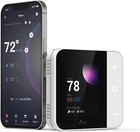
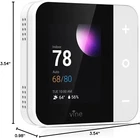
WiFi Smart Thermostat for Home 7-Day Programmable, Touchscreen, Alexa & Google
$ 57.55
Description
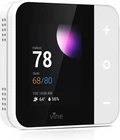
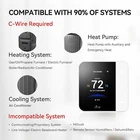
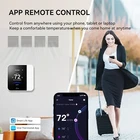
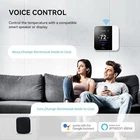
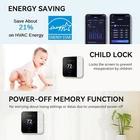
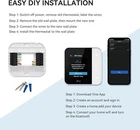
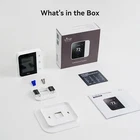
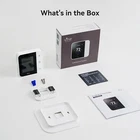
Vine Thermostat Features and Troubleshooting Guide Vine Thermostat: Features and Troubleshooting Guide Key Features Wide Compatibility: This AC thermostat for home is compatible with 90% of systems, including: Conventional (2H/2C) Heat Pump (4H/2C) Supports natural gas, electric, hot water, gas fireplaces (24 Volts), oil heat sources, heat pump, and dual fuel. Note: All system types require a common wire (C-Wire). Quick Install: Our home thermostat for AC and heating can be installed easily in 20 minutes or less with step-by-step online guides and videos. Remotely Control & Voice Control: Control and monitor the Wi-Fi thermostat from anywhere using the Vine Thermostat App or Smart Life App. It is also compatible with Alexa and Google Home for hands-free voice control. Live Smart & Energy Saving: Features 7-day programmable schedules with Auto Home/Away mode. The thermostat automatically adjusts the room's temperature, keeping your home comfortable when you arrive while helping you save on HVAC expenses ( ENERGY STAR certified ). Multi Practical Functions: Includes temperature alerts, filter change reminders, automatic time/date synchronization, and child lock functionality. Our programmable thermostats ensure comfort and peace of mind. Vine Thermostat Troubleshooting Why isn't my heating/cooling turning on? Check Wiring: Ensure the thermostat is wired correctly by following the instructions in the User Manual. You can also reinstall your original thermostat to confirm there isn’t an HVAC system issue. If the heating/cooling doesn’t turn on with the original thermostat, contact a professional technician. Secure Wire Connections: Wires should remain firmly in place. Ensure each wire is seated properly in the thermostat terminals. If unsure, remove and reinsert the wire for a better fit. Check Power: Ensure there is power to your HVAC system and no error code on the control board. If there’s an error code or no power, contact an HVAC professional. Reset Breakers: Reset the breakers to ensure power is flowing to the system. Check Door Panels: Make sure furnace/air handler door compartments are securely closed. If the door panels are not secure, the system will not start. The current temperature of my home does not appear correct. Why is that? Several factors can impact the temperature sensed by your thermostat, including installation location, wall material, and other environmental factors. To address this: Install the Air Seal: If you didn’t install the air seal on the back of your Vine Thermostat during installation, we strongly recommend doing so to prevent airflow in or out of your wall that could affect the sensed temperature. Ensure Front Cover is Installed: The front cover must be installed for accurate temperature sensing. Adjust Temperature Offset: If external factors continue to impact the device, you can apply an offset to the sensed temperature. Navigate to Settings -> Advanced -> Sensor Calibration -> Temp Display and adjust the temperature offset to match another reliable external thermostat. Wait Before Adjusting: We recommend waiting a few hours after installation before adjusting the offset to allow the sensors to fully adjust to the environment. Avoid using handheld infrared temperature sensors as a reference, as they often have inaccuracies.


