TH20 R3 New Thermostat For Apple HomeKit Temperature Smart Home WiFi Switch G...
$ 38.02
Description
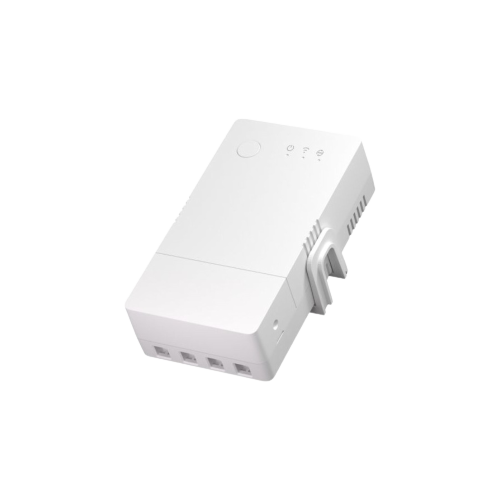
TH20 R3 New Thermostat For Apple HomeKit Temperature Smart Home WiFi Switch Google Home TH20 R3 New Thermostat For Apple HomeKit Temperature Smart Home WiFi Switch Google Home SPECIFICATIONS Works With: HomeKit & Google Home Wireless Standard: 802.11 b/g/n Voltage: 90-250v AC(50/60Hz) Sensor Weight: 26g Sensor Type: Waterproof temperature sensor Sensor Type: Stainless steel temperature probe Sensor Temp Measuring: -55C to +125C Sensor Probe: Stainless steel temperature probe Operating Temperature: 0C-40C(32F-104F) Model Number: TH20 R3 Max current: Max 20A Max Wattage: 4400W Humidity: 5%-90%RH, Non-condensing Gang: 1 Enclosure Material: Fire-retardant ABS V0 Device Weight: 145g NEW VERSION 20 AMPER Standard Sensor Cable is 0.5 Meter . Please add extension cable in the options. About Sensors DS18B20 Waterproof Temperature sensor – Good for boiler Si7021 Temperature and Humidity sensor – Good for room MS01 Soil Moisture capacitive sensor – Good for plants High Temperature Range -50 +125 Now you can use thermostat with very low and very high temperatures. Setup https://www.homehome.app/support About Sensor DS18B20 Temperature sensor can work with this device. Everything at once! Apple HomeKit Google Home +Alexa support : only for on off switch Web UI 3.Party Http protocol integration Local Http server. – Everything Synchronized All in one with a single iot device No Additional Hub Required: Unlike some other smart home devices, this relay module doesn’t demand an extra hub or gateway. The simplified setup not only reduces complexity but also saves you costs, ensuring an efficient and straightforward solution.Home app requires Apple TV or HomePod and Alexa app requires Amazon Alexa. No Hub / Gateway required for Google Home, controlling from local IP address or HomeHome.App web interface. Features Power of Esp8266 with our special firmware Super Easy Setup You will easily setup with single page, user firendly form. FAQ Q:How to setup? When you plug the device it will broadcast WiFi network : “HomeHome-xxxxxx” Password is “homehome” Join the network, make setup in captive portal; -Select your device type -Select switch type (momentry/toogle) and required gmail account. -You can set static ip (optional) for the device but you must know your gateway ip & subnet mask. -Enter your router name and password if it doesn’t in the WiFi list “refresh network” or enter manually. -Save. You can change other device settings by entering ip address of your device like: Auto Turn Off Feature – Set relay 1 auto off from 1 second to 64.800 secondsTurn Back Feature – Turn to last position (on or off) when power failure or restarts. Q:Internet Required? You can use Apple HomeKit and local http server (write your device ip in to a web browser) without internet. Google Home and Web UI needs internet connection. Q:Updating device firmware? If there is a firmware update, you will see in local http server page. Update will be done OTA – over the air.